

Forum Replies Created
-
in reply to: Mega Menu problems
1. I am sorry, but I not understand your answer: I tried to add the link but it does not work and I do not understand what you suggest, please be patient, thank you.
2. Right.
3. Right: with # in the custom link on the primary menu, I have #. I would not want the hand on the primary link (only serves to open the subheadings, no link). Please, how to solve?


Thanks a lot. best regards. Bruno
I am sorry, I have 3 license and for all the same problem with visual composer plugin: also in maralombardi.it the plugin is not updated and updating it is an error. What should I do to get the latest version of the plugin included with the theme? The theme in use is version 2.3. Thanks a lot and best regards. Bruno
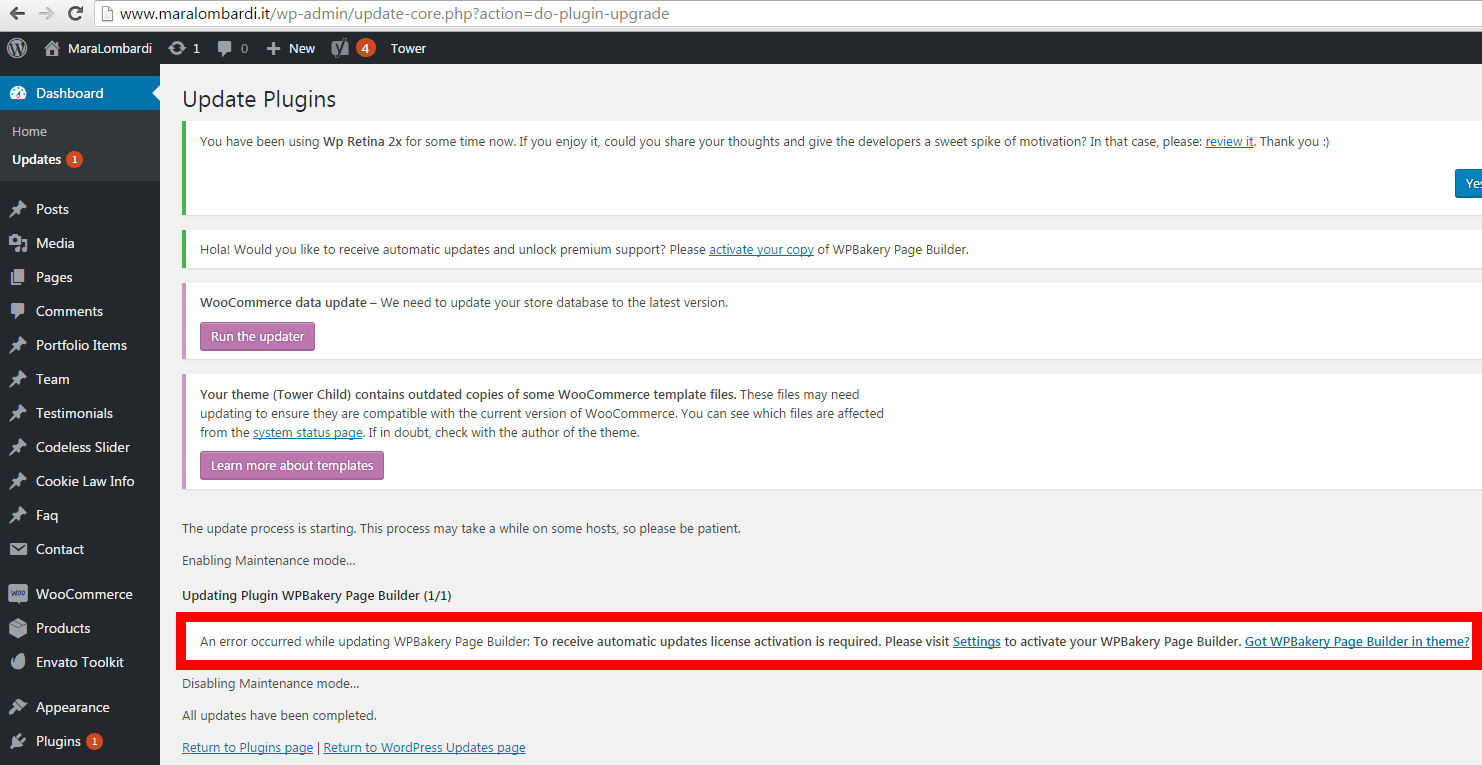

Thanks a lot Mihalia. Tomorrow I will update the theme and if I have not misunderstood, automatically I will also have the latest version of the plugin visula composer, right?
Before updating the theme, to avoid losing the customization of the fonts, the files that I will have to keep from the current version are the following?
\ Wp-content \ themes \ tower \ admin \ inc \ fields \ typography \ field_typograpy.php
\ Wp-content \ themes \ tower \ functions.php
\ Wp-content \ themes \ tower \ tower-functions.php
In order not to lose the customization of the fonts, will I have to do anything else or will it be enough to have the version of the three php files currently online (before updating the theme)? Thanks a lot Mihalia. Best regards. Bruno
This reply has been marked as private.Excuse me Mihaila, do you have some news? Thanks a lot
This reply has been marked as private.in reply to: Image logo in top and in sidebarperfect. Thanks a lot Mihaila
in reply to: Redux Framework WarningThanks a lot. best regards. Bruno
in reply to: Redux Framework WarningPerfect, problem solved ^__^ Please, why my account is expired? I bought the new license yesterday (for a new site)…
in reply to: Redux Framework Warning[caption id="" align="alignnone" width="1090"]

 Redux Framework Warning[/caption]in reply to: Italy Cookie Choices sites (for EU Cookie Law)
Right. I will try to follow your advice. Best regards, Bruno
in reply to: Portfolio Items – Full width and without ProjectYes, all right!!! Thanks a lot Mihaila. Best regards, Bruno
in reply to: Portfolio Items – Full width and without Projectmaybe now I understood: for each post, I have to add the css you made. Confirm? Without changing the post id, but by adding the css: right? Thanks a lot, also for your patience. Best regards. Bruno
in reply to: Portfolio Items – Full width and without ProjectThanks a lot Mihaila. But I do not khow how to change the post ID (as you did): please, I can do it?
-
This reply was modified 9 years, 8 months ago by
 brnEnvato.
in reply to: Image disappears in the text widget in postI’m sorry, I have got the solution.
Before, mistake in the post pages
img src=”https://www.aispt.it/img/aispt-footer-230×100.png” width=”230″ height=”100″ /
Now, the solution with url
img src=”https://www.aispt.it/img/aispt-footer-230×100.png” width=”230″ height=”100″ /
Best regards. Bruno
-
This reply was modified 9 years, 8 months ago by


