Forum Replies Created
-
in reply to: Media images missing
Just noticed also:
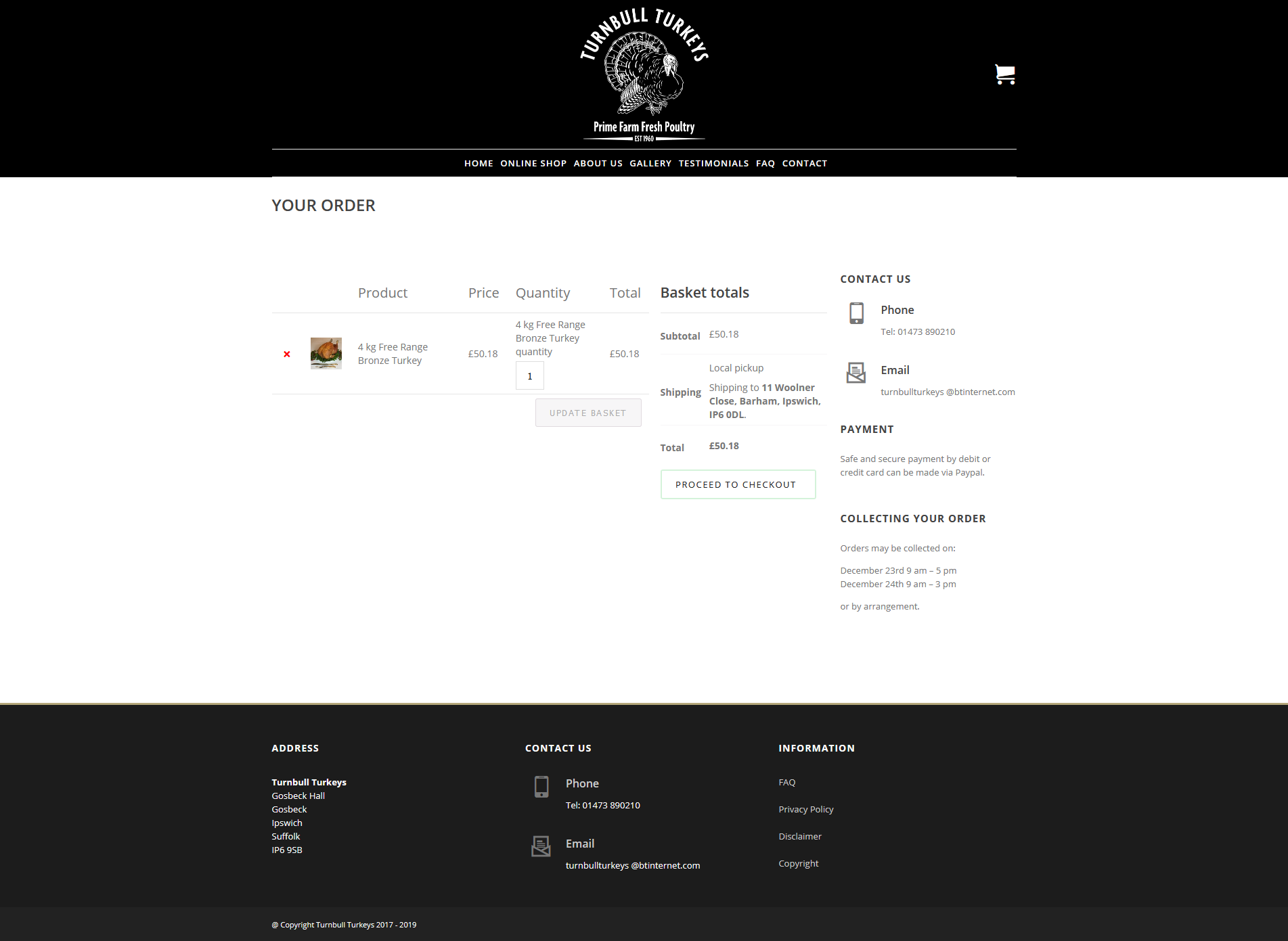
4. The ‘Your Order’ (view basket) page looks different too. The ‘UPDATE BASKET’ wording is not centralised in the box.
5. The wording ‘PROCEED TO CHECKOUT’ used to be all on one line in the green bordered box but now it is on 2 lines.
This is how the two boxes should look:
http://www.turnbullturkeys.co.uk/wp-content/uploads/2019/10/show-basket-page.png
How do we resolve this please?
in reply to: Media images missingI’ve updated my site to the latest version of Specular and as I feared there are a number of issues that I need to fix and hope you can help with this:
1. On a number of pages (like our home page for example) we have used a Navigation Menu widget. The layout of this widget has changed from how it was before the upgrade. Now it does not look as nice.
Go to: http://www.turnbullturkeys.co.uk to see how it looks after the update.
The screenshot below shows how it should look:
http://www.turnbullturkeys.co.uk/wp-content/uploads/2019/10/home-page.pdf
2. On every page in the top right there is a basket icon. Since the update it has reduced in size so now it is too small. How do I get the size larger again please? See the above home-page.pdf image and compare it with our site now after the update.
Go to: http://www.turnbullturkeys.co.uk to see how it looks after the update.
3. When working in the WordPress backend on our Privacy Policy page it is showing RAW HTML instead of the usual layout. Also on the front end customer facing view of that page the main top menu items are underlined. How can we fix these please?
Hope you can help me with these before our customers notice :-)
in reply to: Media images missingBy the way I purchased today a support extension and sent you an email as instructed.
in reply to: Media images missingApart from ‘WPBakery Page Builder’ everything else on my site is up to date and the front end works fine. We have a shop that works fine too – except that I can’t add any new products because of the inability to add a featured image (seems to be linked with the ‘Media’ issue).
in reply to: Media images missingI’m on Specular version 2.6.2. I would like to update my Specular version to latest version but am worried about this particular issue and also problems after upgrading.
Login credentials are in my user profile.
in reply to: Pretty Photo Image Gallery not working as expectedI managed to work it out.
Thanks.
in reply to: FAQ Toggle SpacingSorted it out thanks.
in reply to: Link sidebar gallery to selected pageThe options you mention above are not available for my ‘sidebar gallery’ – you can see the gallery that I mean in the sidebar under the title of ‘Portfolio’.
in reply to: Link sidebar gallery to selected pagein reply to: Make Service Circle Icon clickableThat’s great. Many thanks for your help.
in reply to: Make Service Circle Icon clickableI’ve made the change as per your recommendation. How do I add the link for each Service Circle Icon? If I add the link directly into the code inside services_medium.php I can only add one identical link for all Service Circle icons. It would be nice to be able to add a different link for each Service Circle Icon – is this possible?
in reply to: Codeless Slider Transition IssueUnfortunately, this option was already enabled.
in reply to: Blog Post WarningsThank you very much for your help. I did have DEBUG mode on and switching it off resolved the issue.
in reply to: List item spacing changed after theme updateMany thanks for sorting this for me.
in reply to: Copyright bar missing after theme updateok. Many thanks for sorting it for me.