

Forum Replies Created
-
in reply to: Media Grid – Video Popup
Hi Ludjon, just letting you know that I created a new Grid Element Template and used an Extra Class Name instead of a Shortcode and it now launches the video popups as desired. Thank you so much for your help and support!
in reply to: Portfolio CategoriesThis reply has been marked as private.in reply to: Media Grid – Video PopupThat’s great!
Which files do I need to copy over to the live site? This one is the staging site.
Mike
in reply to: Media Grid – Video PopupAlternatively is there a way that only on mobile/responsive that the text overlays the image without hover. So loads with the page… but only on mobile etc. Thanks M
in reply to: Media Grid – Video PopupThis reply has been marked as private.in reply to: Media Grid – Video PopupMaybe because on click by default it opens PrettyPhoto??
in reply to: Media Grid – Video PopupI tried this but it didn’t work unfortunately. I placed the line back in. Any other ideas?
in reply to: Clients logos not centred in responsive viewThanks Mirela
in reply to: Clients logos not centred in responsive viewFor the time being I have turned breadcrumbs off so lets hold this issue till the new year. In the meantime there is another formatting problem.
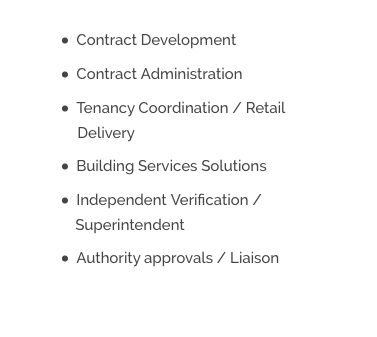
When the text wraps on a bullet point the second line doesn’t indent and aligns left, rather than with the text above. See the word ‘Superintendent’: https://www.compasspm.com.au/services/
See screen shot:
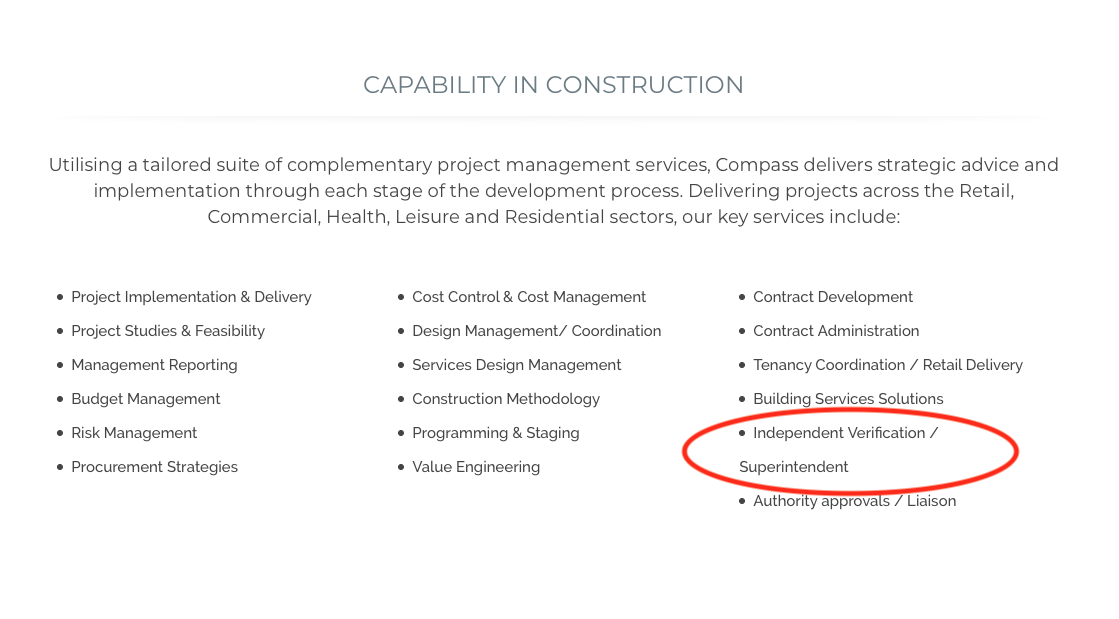

It would be good for the second line to indent and be half the line height compared to the full bullet point right. Please see the below reference/mock-up:

-
This reply was modified 6 years, 9 months ago by
 amccreative.
in reply to: Clients logos not centred in responsive viewAs an alternative, are we able to swap over the position of the menu and logo in responsive view… so logo is aligned top left and menu/burger aligned top right?
in reply to: Clients logos not centred in responsive viewUnfortunately that affects both desktop and mobile view. I was happy with how it works on desktop, I only wanted to adjust responsive view. In the meantime I have switched off the breadcrumbs. Can you please advise.
in reply to: Clients logos not centred in responsive viewTo clarify, in mobile/responsive I wish to:
- remove the breadcrumbs
- have the logo centred in the top header area
- have the page title centred (vertically) on the header bar.
Thanks, Mike.
in reply to: Clients logos not centred in responsive viewI have another issue now I’m hoping you can help me with Mirela. In responsive/mobile view I’m still seeing the page breadcrumbs in the header (which usually ins’t there) and the page title info isn’t justified to the centre of the row (vertically). See screen shot.
Also how do I get the logo to sit more to the centre rather than the right?
Thanks, Michael

 in reply to: Clients logos not centred in responsive view
Works well thanks.
in reply to: Flexi Slider – Tower ThemeThis reply has been marked as private. -
This reply was modified 6 years, 9 months ago by

