

Forum Replies Created
-
in reply to: Import Dummy Data – Site looks nothing like the demo
Hi,
Please share website url, wp-admin and ftp info.Let me have a look.
Thanks,
in reply to: Mobile Menu June Theme ProblemsHi,
iPhone 11: https://youtu.be/q756Sy_9SRU
Android: https://youtu.be/gxFT4XPHLnE
Remove your mobiles History / cache then test it.Thanks,
in reply to: FATAL Error when activating Codeless Page BuilderHi,
Please check now footer is back.
You have Installed Custom Js and you have make it hide.
Logo is also visible now.Please clear / flush cache of website and PC / Mobile then check it.
Thanks,
in reply to: Mobile Menu June Theme ProblemsRandy,
Please mention the following so i can test on that device:
Browser Name, iOS Mach, Android.Thanks,
in reply to: Codeless Slider not working after WP update to 5.5Ryanstorm,
Please Open a Post and Send me Complete Login Creds and also share screen shot there.I will look the issue.
Thanks,
in reply to: Hamburger menu does not show on mobileHi,
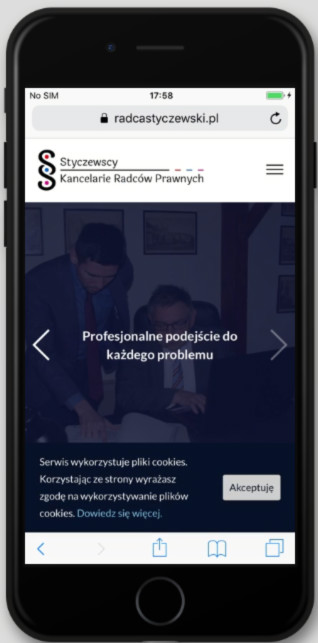
Please check now and clear cache before testing.
It should be working with you perfectly.
See attached screen shot for as Proof.

—

Thanks,
in reply to: Codeless Framework in towerHi,
Please Send me wp-admin URL, I am trying: https://byeheather.com/wp-admin/
We need to update theme and Plug-in, you can do it yourself.
#1: Get Latest copy of Tower from ThemeForest
#2: Install All the Latest Plug-ins.Please take a backup – before installation.
Thanks,
in reply to: Codeless Slider not working after WP update to 5.5Hi,
First of all Sorry you guys are facing Codless Slider and WP 5.5 confliction.
The Great news, We have solve the problems, I will request you to you please
do these steps: (I will recomend you to Take Backup before doing these changes).
#1: Deactivate delete plugins
#2: Update theme from ThemeForest
#3: Install recommended plugins of new theme version
#4: Install the codelessFramework 1.0.3
#5: Install Redux framework Plugin
—
If you want to us to do it, Please Write a Post and also Take the Backup of your website.Thanks
in reply to: Mobile Menu June Theme ProblemsHi,
#1: You have upload or use image optimizer for this. Our Code is Optimized enough already.
#2: It is working perfectly on my side, Please check on other Pc.Thanks,
in reply to: Change position of menu categoriesHi,
I Just move up Executivo to Top One.
Here is the Steps to Change the Order:
Wp-admin > Restaurant Menu > Click on Quick Edit
and Change Higher of Date of last.
Currently it Sorting as Latest First.e.g. Entradas you want to place on 2nd, you just need to set date / time Less than “Executivo” and Higher than the “Bebidas”.
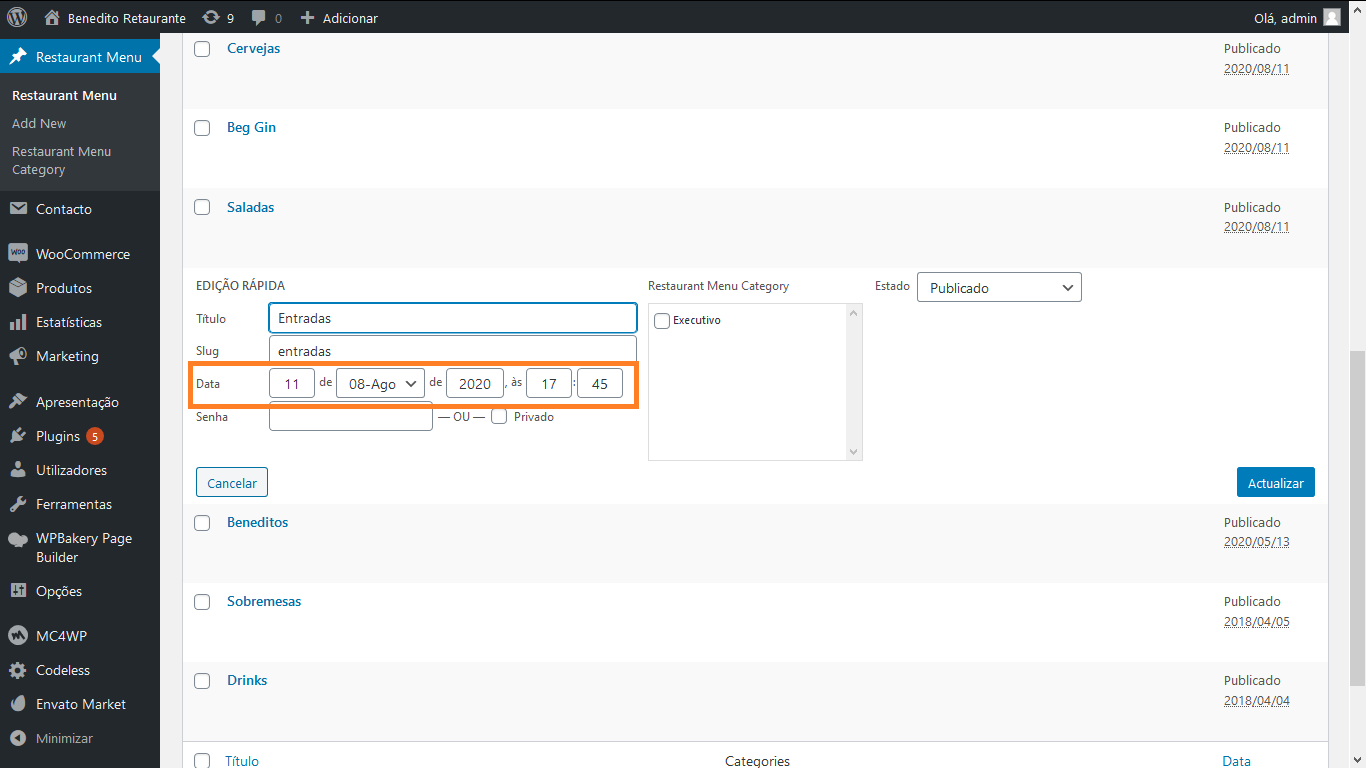
Let me know if you face any issue in it.
Thanks,in reply to: Product Variation Images not changing/showingHi,
Please share your website url, wp-admin and FTP (Login / pwd) Using “Private Reply” Feature.Thanks,
in reply to: Menu Dropdowns Not WorkingHi,
Please share your website url, wp-admin and FTP (Login / pwd) Using “Private Reply” Feature.Thanks,
in reply to: June Theme is not working after updateHi,
please go to this site: https://imgur.com/
and try to upload image there and let me know.Thanks,
in reply to: Static color overlays portfolioplease share your site url with wp-admin and ftp details so that we can look into it.
in reply to: no Portfolio Items option in sidebarHi,
From wp-admin > portfolio > Add newThanks