Forum Replies Created
-
in reply to: NEW UPDATE 4.1.0: IMPORTANT NOTIFICATION
Hi,
I’m using your Specular / Tower theme and the bundled plugin Codeless Framework. When I activate Codeless Framework (version 1.0.7), WordPress reports a fatal error and automatically pauses the plugin in Recovery Mode.
Error shown:
Uncaught Error: Class “Elementor\Core\Schemes\Color” not found
File: wp-content/plugins/codeless-framework/include/scheme-color-fix.php (line 12)When I deactivate Codeless Framework, the error stops.
Can you please advise the fix or provide an updated theme/framework version that’s compatible with the current WPBakery?
Thanks,
Ashleyin reply to: Important Update Required!This reply has been marked as private.in reply to: Demo Content Not ImportingThis reply has been marked as private.in reply to: Demo Content Not ImportingThis reply has been marked as private.in reply to: Demo Content Not ImportingThis reply has been marked as private.in reply to: Demo Content Not ImportingThis reply has been marked as private.in reply to: Starter Sites Not LoadingI’m having this same issue and have already started a ticket and haven’t heard back yet (2 weeks ago).
in reply to: Important Update Required!Hi! I purchased the Folie theme and uploaded it. Also went through the “demo” process. However, a lot of the pages are broken when I simple try and swap it out for my own content. Furthermore, the theme is pretty hard to customize. I.e. on the portfolio page, it’s not showing all of the categories in fullwidth filter. The filters cut off after 3 and I have 5 filters. If this theme isn’t going to work the way I need it to, I would like to exchange it for Specular. At least I know that one works. Also, I’m getting “critical issues” on the website when updating. Lastly, there’s a “search page” and “might we suggest” block at the bottom that I can’t seem to locate to remove. Lots of weird quirks with this theme.
in reply to: Demo Content Not ImportingThis reply has been marked as private.in reply to: issue importing started siteI also am having issues importing demo content. It’s giving me a “ti__ob_failed_fetch_catch” error. Plus, when I’m trying to install required plugins, it tells me I don’t have access to that content. However, I’m the site admin. I’ve used the Specular theme thousands of times and have never had this issue.
in reply to: Broken Pages After UpdateHi! I do see that the navigation is there. However, it concerns me that the page’s default padding (top and bottom) isn’t also included like all of the other pages. I fear that once I start updating everything (like the WP Bakery Plugin and the theme) stuff will start breaking again. Will I be able to update the WP Bakery plugin and the Specular theme in a few months and everything not break?
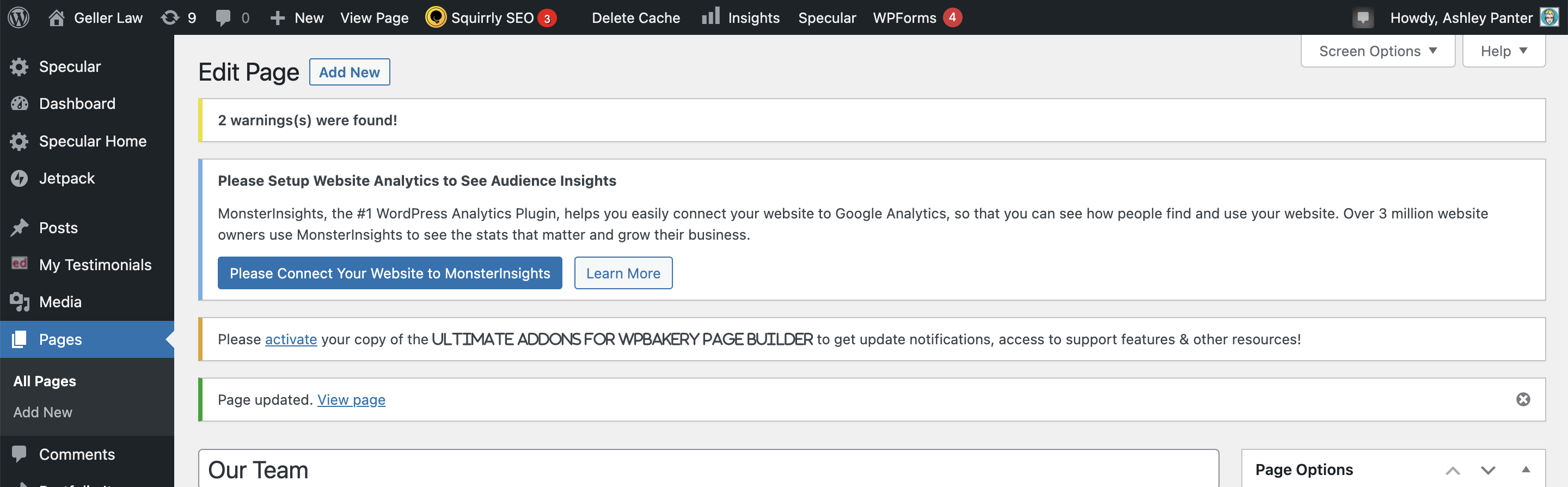
I also because at the top of the page, it still shows “2 errors were found” and it’s not telling me what. But, it is only showing on this page. Which means there is something off about the page in the code. You can see what I’m talking about here: https://www.jenngellerlaw.com/wp-content/uploads/2023/08/Screen-Shot-2023-08-26-at-9.26.32-AM.png
in reply to: Broken Pages After UpdateCorrect. I think maybe the WP Bakery widget got updated and something got wonky? Or maybe the theme was updated and isn’t compatible with WP Bakery? Not sure. Something isn’t working correctly with WP Bakery and the theme though.
in reply to: Broken Pages After UpdateOh but no, the team widget wasn’t used though. It was just text blocks and a media widget.
in reply to: Broken Pages After UpdateI have tried this before and the same issue happened. But yes, it’s with the “Our Team” page.
If you guys have updated something though, I can try again to see if it works? I’m afraid to update any of the other pages on the website because I don’t want the same thing to happen to them.
in reply to: Broken Pages After UpdateThis reply has been marked as private.