

Forum Replies Created
-
in reply to: Website down since 1 week
Hi,
Your site working fine on our end. To get further assistance, please renew your support license.Thanks,
Hi,
Add the following code inside
WP-Admin Dashboard > Appearance > Customizer > General > Custom Codes > Custom CSS.cl-team-grid .cl-team-grid-item__data ul{display: none;}Thanks,
in reply to: Responsive Column ImagesHi,
Can you share the screen resolution (width x height) you’re using?Thanks,
in reply to: Responsive Column ImagesHi,
Please check and let me know. I’ve created the same page but with a different name(Responsive Page). Here’s the link to the pageIf this solve’s your problem, simply copy the content and paste it to your Homepage or set the page as your Homepage.
Thanks,
Hi,
– Hide Social Icons
Edit the team member(whose social links you wanna hide) > Navigate to Team Data > Make the social link(Facebook/Twitter) link field empty OR remove the “#” from the social link field > Update Changes > Done.– Sorting Team Members
The team members will display in an order you’ll select to display them on the page.Thanks,
in reply to: Livecast import Demo data Error: error (0)Hi,
I have been working on it – import the data but still there is a configuration error on your server side, we need higher limits in order to import data.I have tried 2-3 ways but i am sorry to say our server seems some restrictions or perhaps lows resources.
Please see attachment.
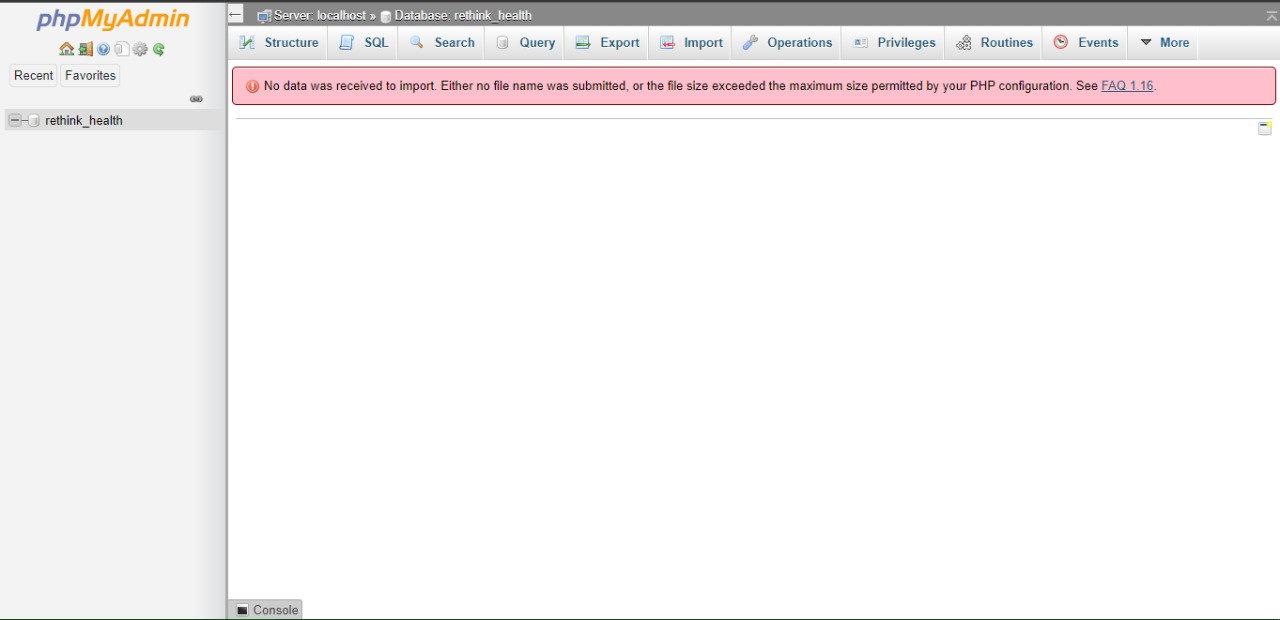

This is what I am getting when import using phpmyadmin.P.S.: I have already tried to change config values but it is impacting on the Local user not Apache level.
Can you please talk to Server admin or Tech Support?
Thanks,
Hi,
Please share your website URL, wp-admin, and FTP info (Username and password) and send me “using private reply”.Thanks,
in reply to: Kirki Plugin Issue@akiPika,
I appreciate your reply helping others User, Simply Love :)
@anton3sco91@
Every theme has own configuration, since you are using Regn and @akiPika using Folie. About Changes: I always ask copy the website to test server we will make changes there and let you know back in safe way – once everything is OK, you can move to live website.There is so many factors, issues we have to check and test it, i cant list them all over here.
Thanks,
This reply has been marked as private.in reply to: Doubts about responsive modeHi,
Add the above mentioned code in:
WP-Admin Dashboard > Appearance > Customizer > General > Custom Codes > Custom CSSThanks,
in reply to: Custom Code doesnt workHave you added custom code, Just make sure it has been saved and cross check thru browser view source.
Let me know.
in reply to: Folie Photography – migrating hosts!if you have mirrored whole site – it should be working even after migration.
anyway, please share your website URL, wp-admin, and FTP info (Username and password) and send me “using private reply”.
Thanks,
in reply to: codeless edit functionHi,
can you please confirm are you talking about codeless builder or codeless function?also share your website URL, wp-admin, and FTP info (Username and password) and send me “using private reply”.
Thanks,